Event
A event is a code executed when certain something happens in the app or the user performs an action. It can be when a button is clicked, when the app opens, or even when the app is closed.
Creating a event
It's time to create your first ever event! A event contains the code that is executed when a certain event happens inside your app. Remember the button we added last time? We'll give it a use this time. Now well, what should it do? Hmm... How about a simple toast for now?
Button onClick
Open the Event section. Open the View section inside the event section from the left of the screen.
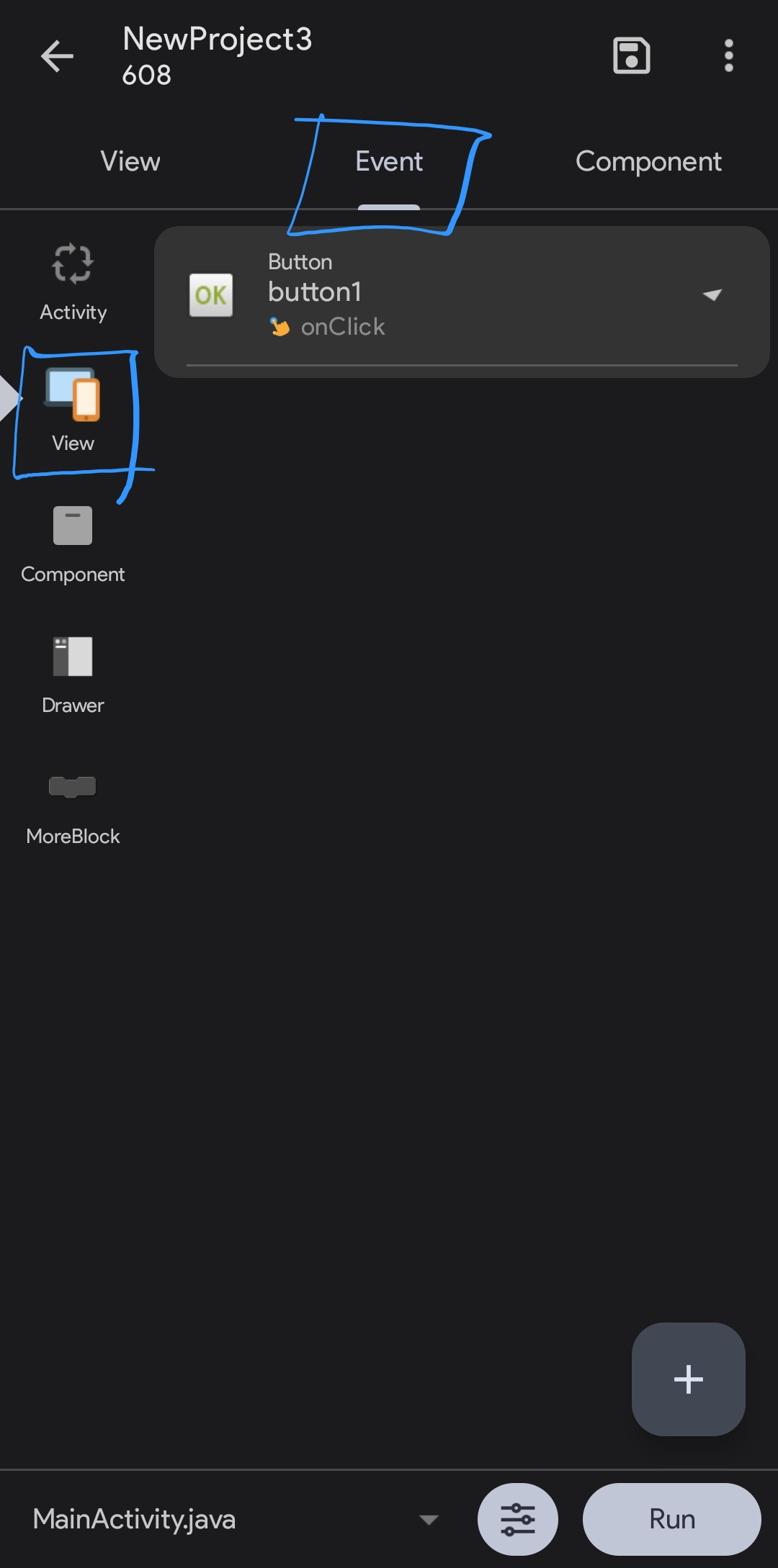
- Click on
button1to edit what it does when clicked. - Click the block icon on bottom right.
- Click the last second option on bottom right,
Component, written in blue. - Hold the Toast block on the left. Drag and drop it below the already-added
When button1 clickedblock. It should stick below it. - Click on the white space to edit the message.
- Enter anything, such as "Built by
Your name!"
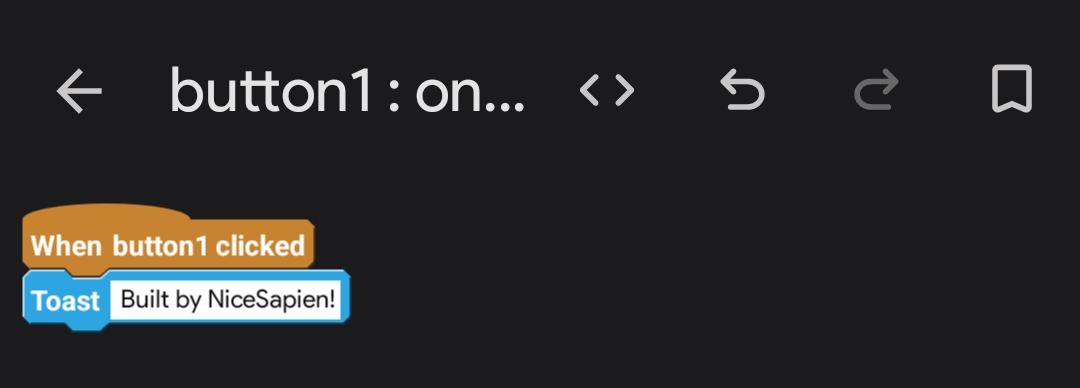
- You're done. Click the back button and go back to the
Viewsection.
Conclusion
I hope you got a idea of what views are in a Sketchware Pro/Android app. Next, we'll try running this app on your android phone.